
MT4 Platform
MetaTrader 4 (MT4)
Free to download right on our website, TCM Trading Markets provides traders with MetaTrader 4 trading platform for trading currency pairs and other financial instruments through contract for differences (CFDs).
MetaTrader 4 Main Features
Trading Flexibility
Experience flexible trading on MetaTrader 4 with Capital Asia. Trade CFDs with 6 types of pending orders and 2 execution types: Instant Execution and Market Execution. Enjoy the ability to build and implement your trading strategies, regardless of complexity, and trade your desired financial instruments.
Analytical Tools
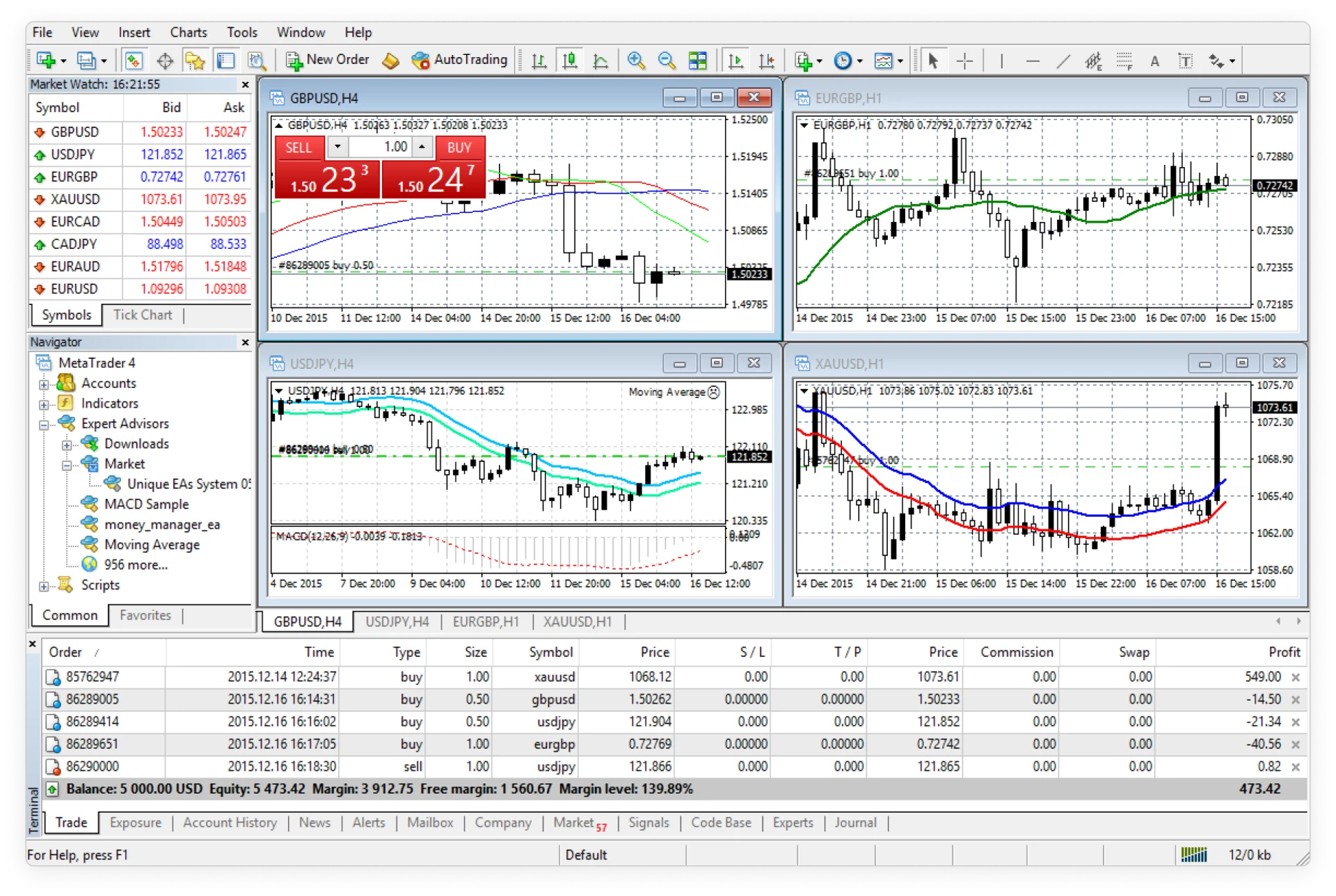
With 30 built-in technical indicators and 23 analytical objects, the terminal has an arsenal of analytical tools, including technical analysis, for you to effectively respond to market movements and price changes, and identify entry and exit points. Other tools also include trailing stop and trading signals on the desktop platform.
Automated Trading
Autotrading on the financial markets is possible on the MetaTrader 4 desktop terminals. Thanks to trading robots, Expert Advisors (EAs), you can fully automate trading and analytical operations on the financial markets. You are also able to create your own expert advisor and scripts using MetaQuotes Language 4 (MQL4) or import a new Expert Advisor easily.
Security
Financial and data security is of utmost importance to us. Thus, we place the highest priority in protecting our client data by encrypting all communications between the server and the MT4 platform using 128-bit keys.
About MetaTrader 4
A well-known trading platform among traders of all levels and experience, the MetaTrader 4 could be said to be integral to brokers and traders alike. Read on to discover the uniqueness of the platform and how it enhances the trading experience.
How MetaTrader 4 was Developed
Developed by MetaQuotes, a financial trading software development company, MetaTrader 4 was released in 2005 and licensed to brokers and those offering investment or brokerage services. Before the MetaTrader 4 was developed, MetaQuotes had released other financial trading products, starting from FX Charts in 2000 and thereafter, the MetaQuotes platform. Following the third generation of the platform and rising market interest in MetaQuotes’ products, the software development company launched the trading platform MetaTrader 4 with a new architecture and programming language. Since its release, MetaTrader 4 has become a leading and widely popular trading platform, preferred by online foreign exchange traders and brokerage services around the world.
Usage of MetaTrader 4
The many tools of the terminal, including flexible trading systems, algorithmic trading and mobile trading, provide investment opportunities for traders of all skill levels to trade in the financial markets. These integral parts of MetaTrader 4 not only help you to effectively determine entry and exit points and identify market trends, but also enhance your trading experience. Supporting trade execution modes, including Market and Instant Execution, the trading platform MetaTrader 4 also provides charts, expert advisors, trading signals and technical indicators. Signals enable traders to copy the trading orders and trading strategies of other traders. There are also financial news and alerts tools so that traders are updated with the latest trading news and articles.
Automated Trading and MQL
MetaTrader 4 comes with pre-installed Expert Advisors (EAs) and technical indicators that allow automated trading on the financial markets. There are also custom Expert Advisors, trading robots and technical indicators that are developed by other traders, which you can install into the platform. Additionally, you can create your own scripts, trading robots and technical indicators by using the MetaQuotes Language 4 (MQL4), a programming language.
Mobile Trading and MetaTrader 4
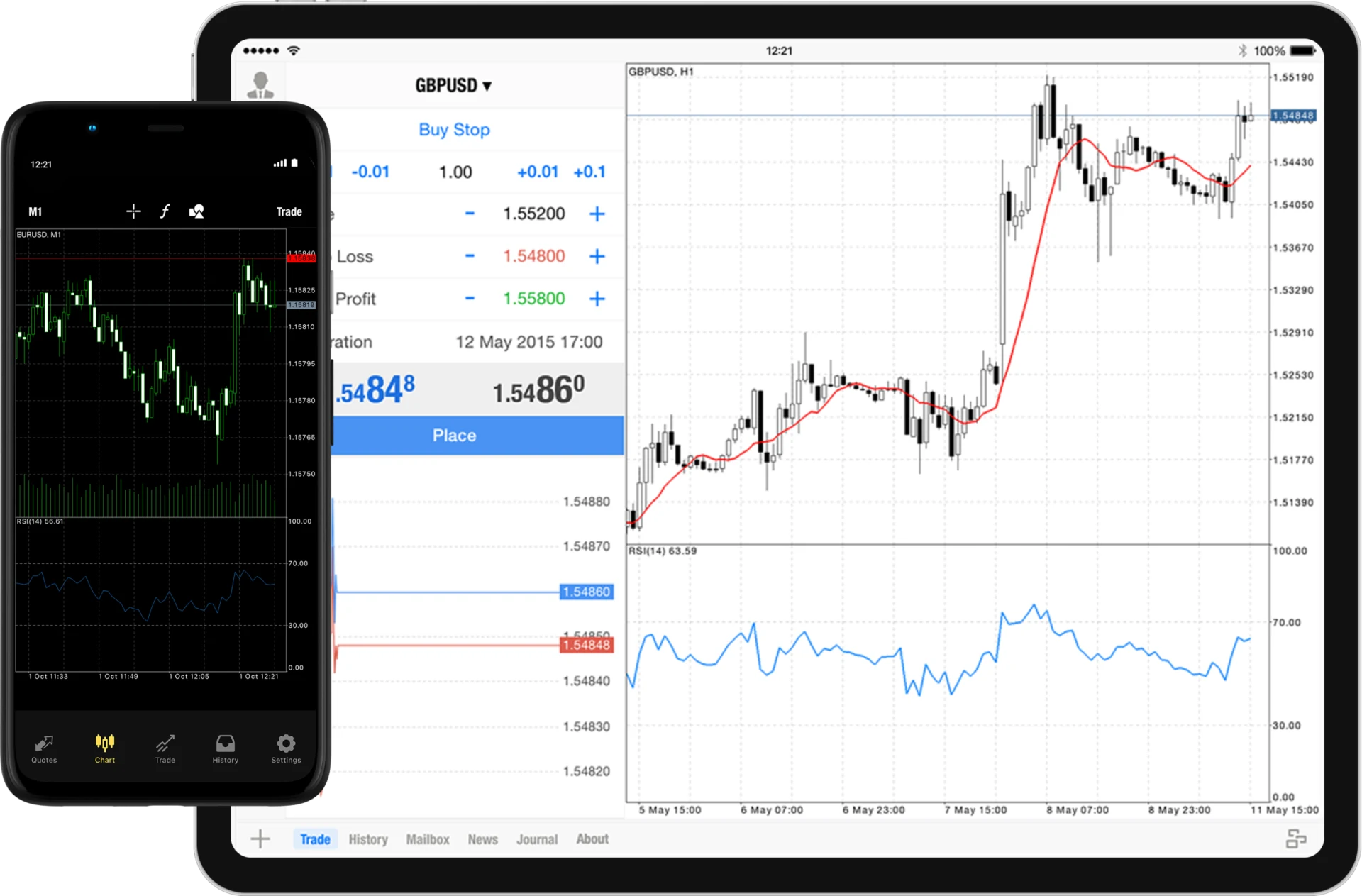
The trading terminal is not just for Windows, macOS and Linux powered desktops. Traders with busy schedules can trade on-the-go with the trading platform’s capability for mobile trading on iOS and Android smartphones and tablets. Equipped with all the integral parts of MetaTrader 4, including trading orders, interactive charts and popular analytical tools, you can monitor your account and perform mobile trading in a single click. The iOS and Android mobile app version also enables you to receive push notifications and chat with other traders.
A Powerful Multi-Asset Platform
MetaTrader 4 desktop trading terminal
- More than 200 trading instruments
- 6 asset classes
- 5 trading account types
- Unlimited leverage
- Low spreads from 0.0
- 6 pending order types (Buy Stop, Sell Stop, Buy Limit, Sell Limit, Take Profit, Stop Loss)
- 9 timeframes and 3 chart types
- Available for Windows, macOS and Linux
- Multilingual platform interface
- Instant execution and market execution
- 50 pre-installed indicators
- Encrypted security
- Trailing stop, technical analysis, and custom Indicators, Expert Advisors (EAs) and Scripts
- Inbuilt help guides
MT4 Multiterminal
- Monitor up to 128 real accounts and 10 demo accounts
- Available for Windows
- Trade on multiple accounts of the same type
- Trade instruments with same suffixes on different account types


